


Messaging
 Zoom
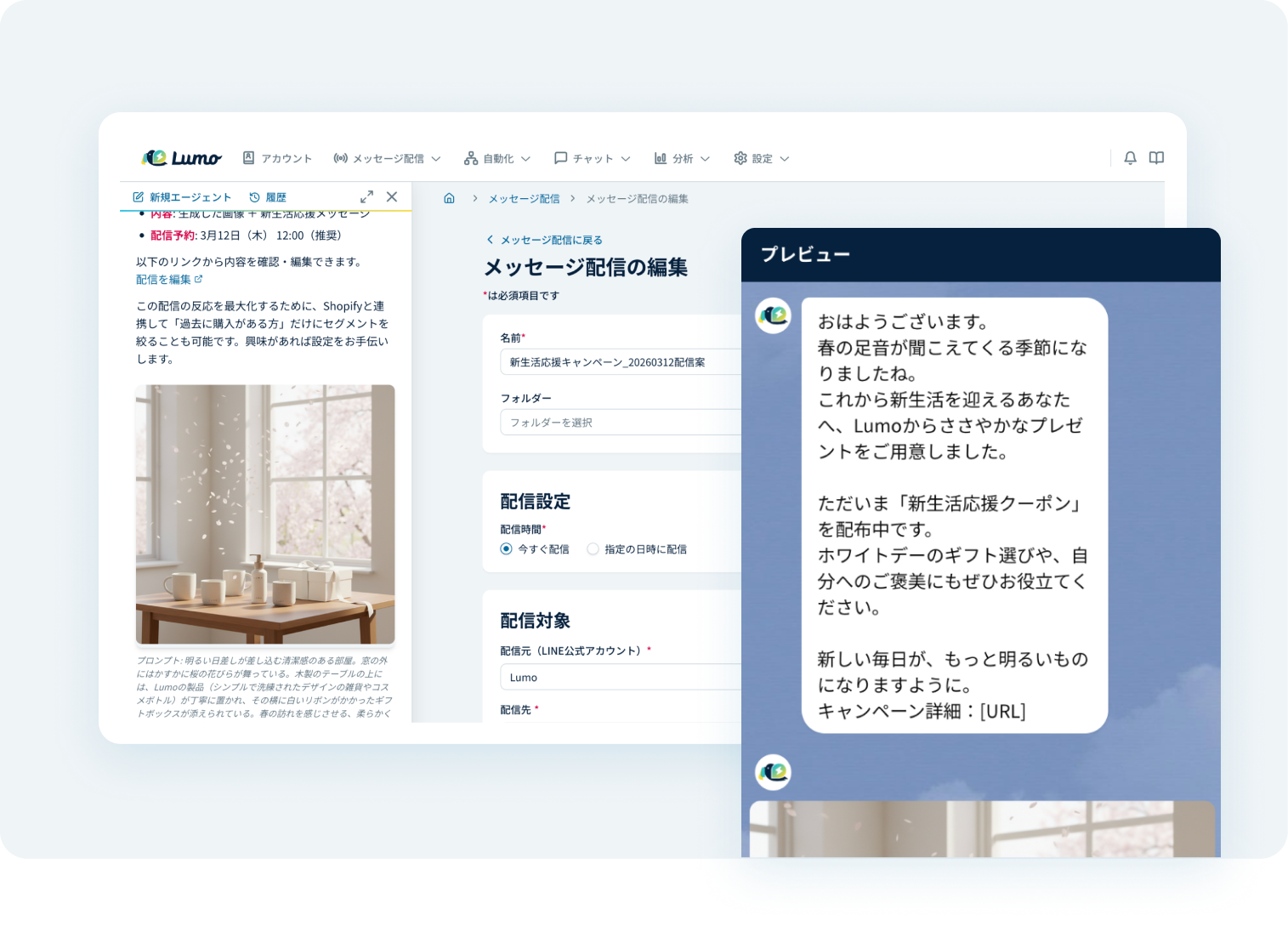
AI-Powered Message Generation
Generate messages suited to your customers based on past broadcast data. Lumo also suggests send timing and prepares the broadcast automatically, reducing the work of messaging.
 Zoom
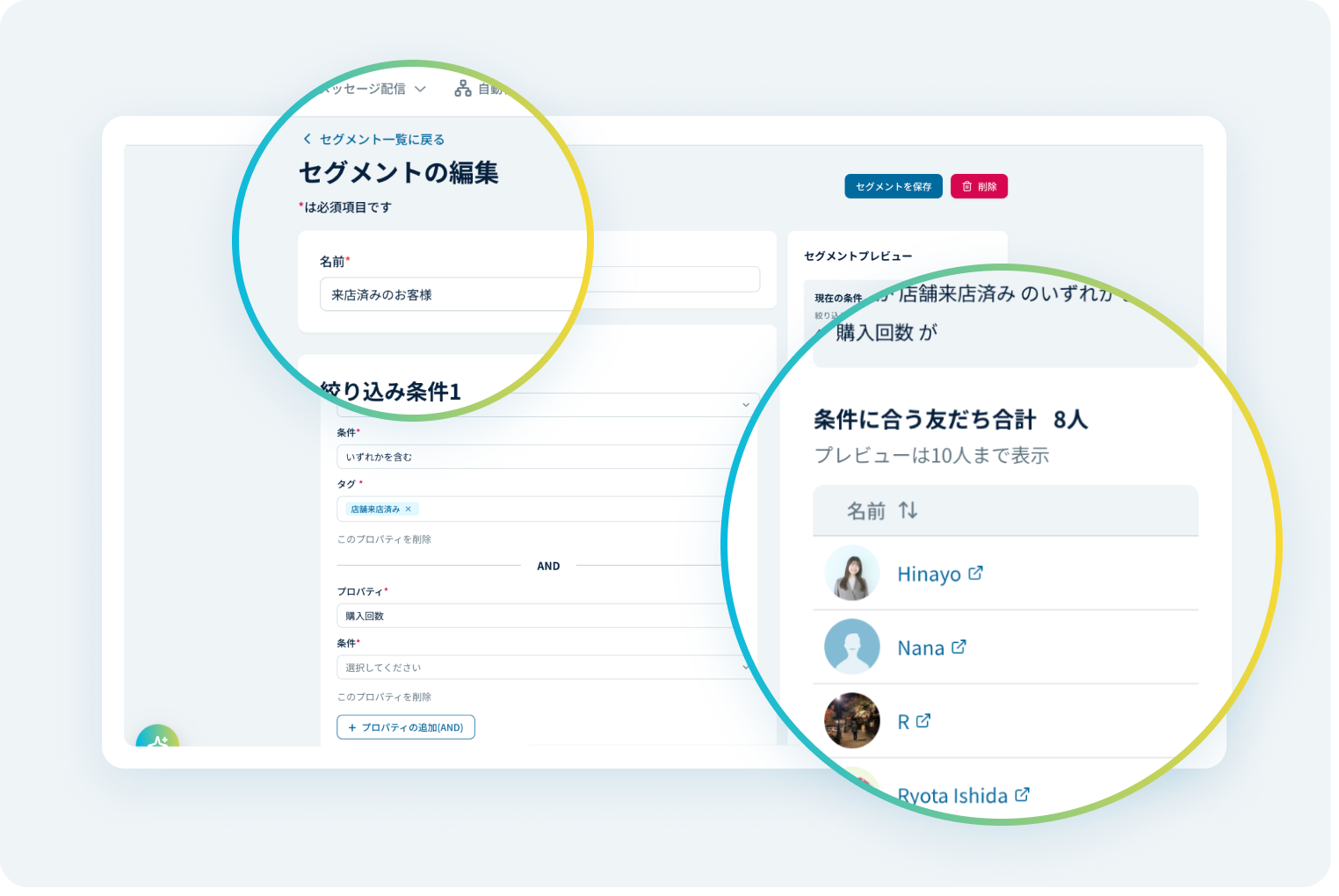
Segmented Messaging with Customer Data
Narrow your audience using customer behavior data, LINE response history, and tags managed in Lumo. Send messages that match each customer's interests and situation.
 Zoom
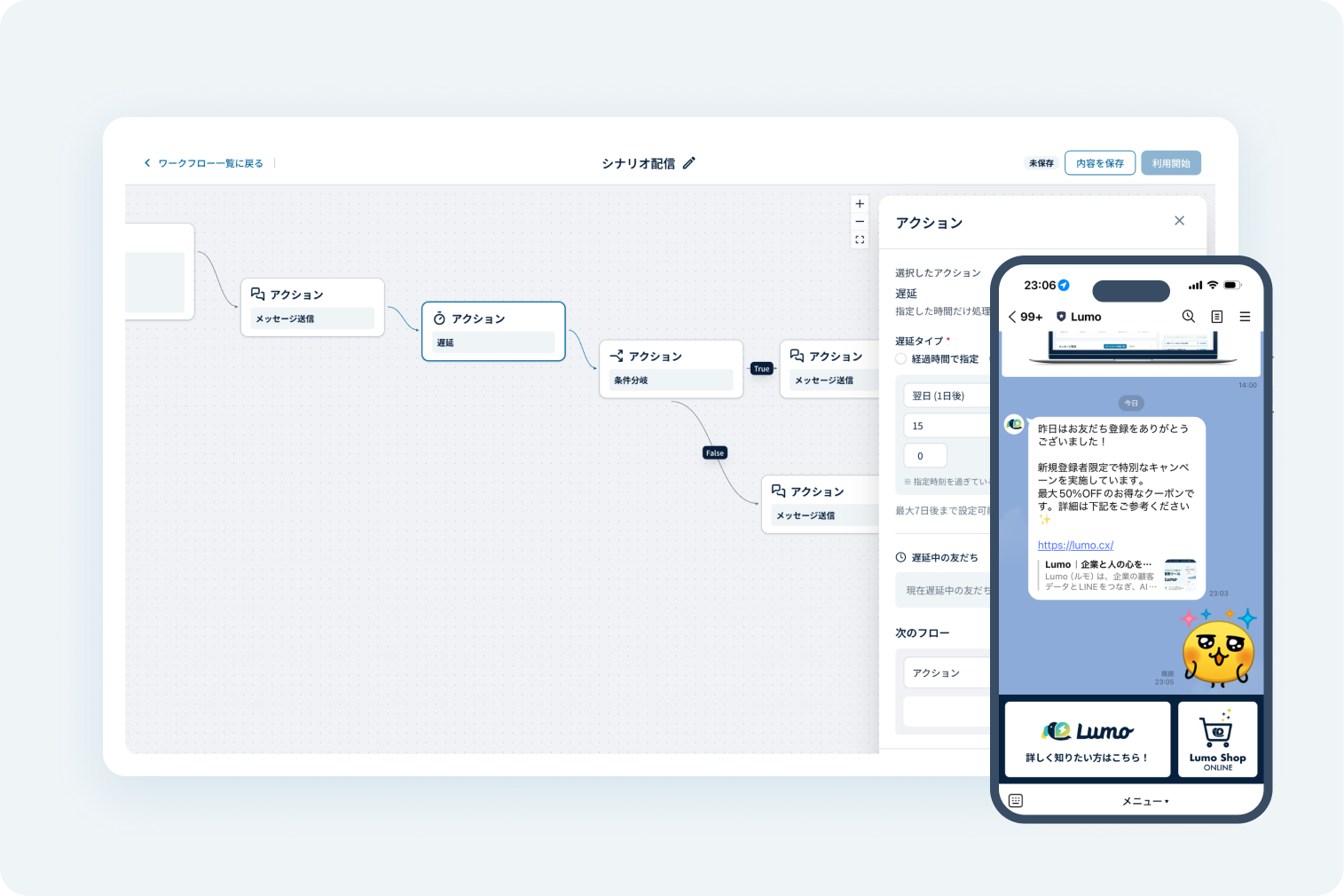
Step Messaging
Send messages automatically based on user attributes and activity such as browsing history. Make operations more efficient while improving the customer experience.
 Zoom
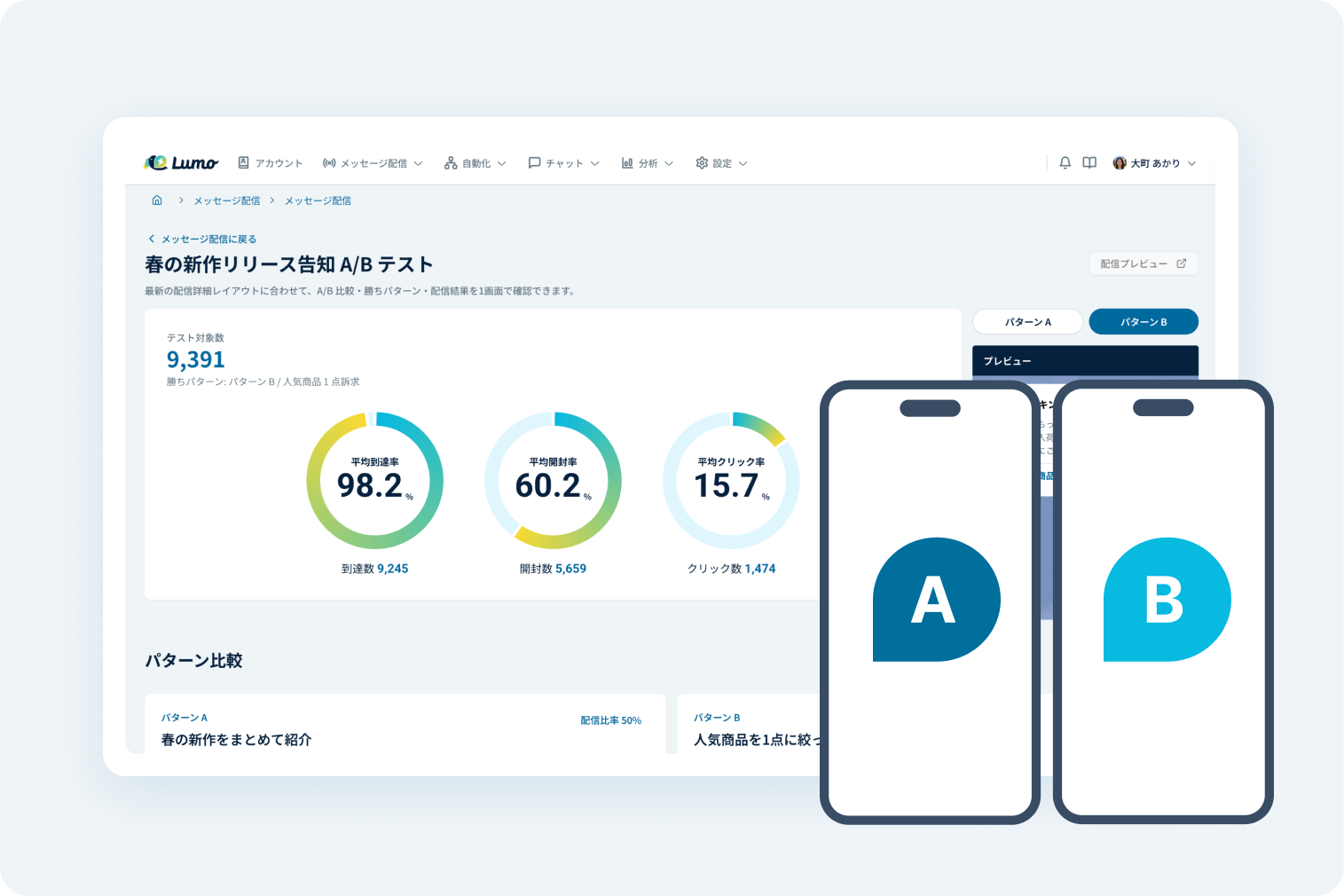
A/B Testing for Messaging
Send messages in multiple patterns and compare the results. Find out which kinds of content your customers want, and build that into shared knowledge for your team.
 Zoom
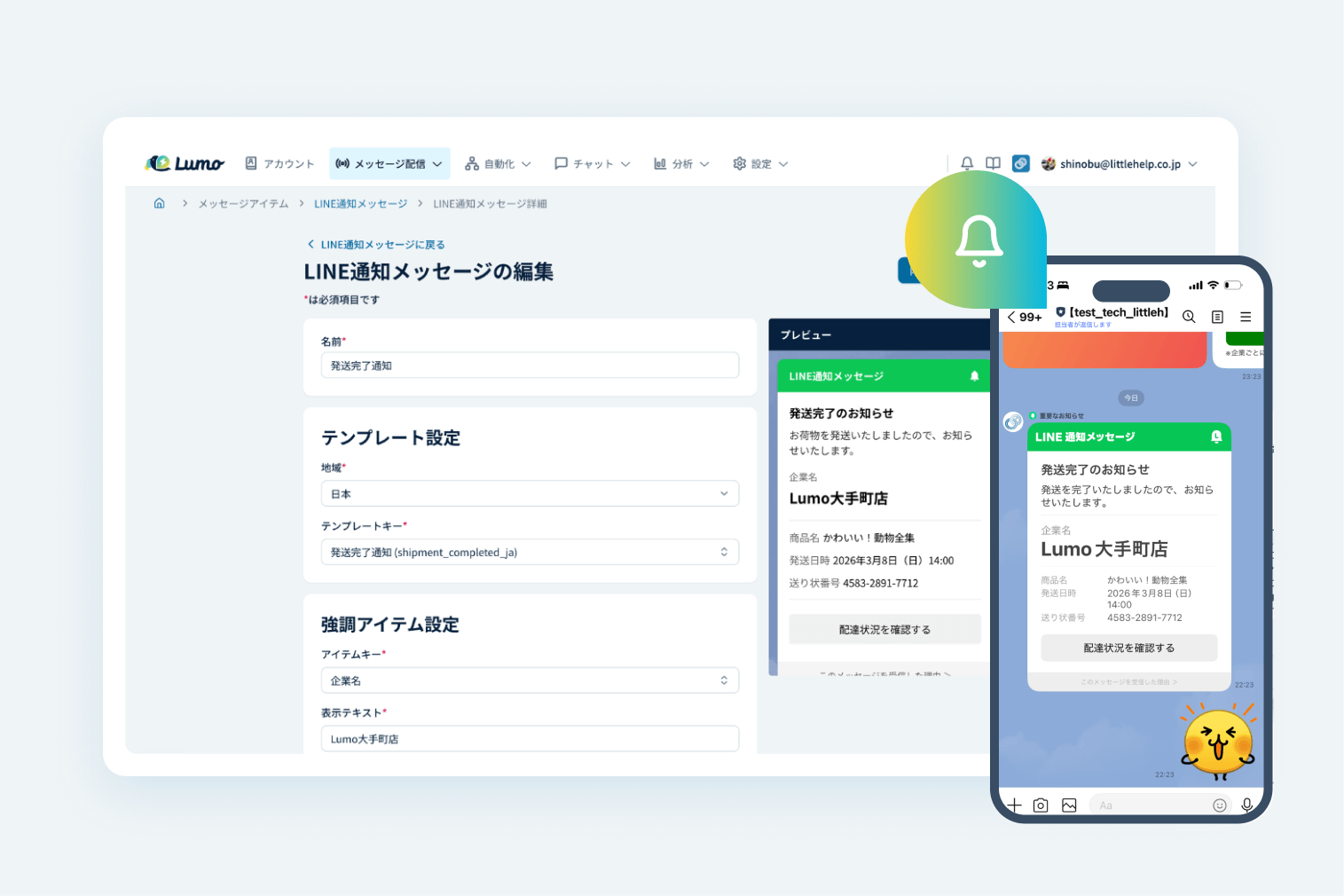
LINE Notification Messages (Coming Soon)
Send LINE messages using a customer's phone number. Stay in touch with customers even when you don't have their email address.
Analytics
 Zoom
AI-Powered Customer Insights & Recommendations
AI analyzes purchase history and behavioral trends in your Shopify and HubSpot customer data, then suggests segments and message content.
 Zoom
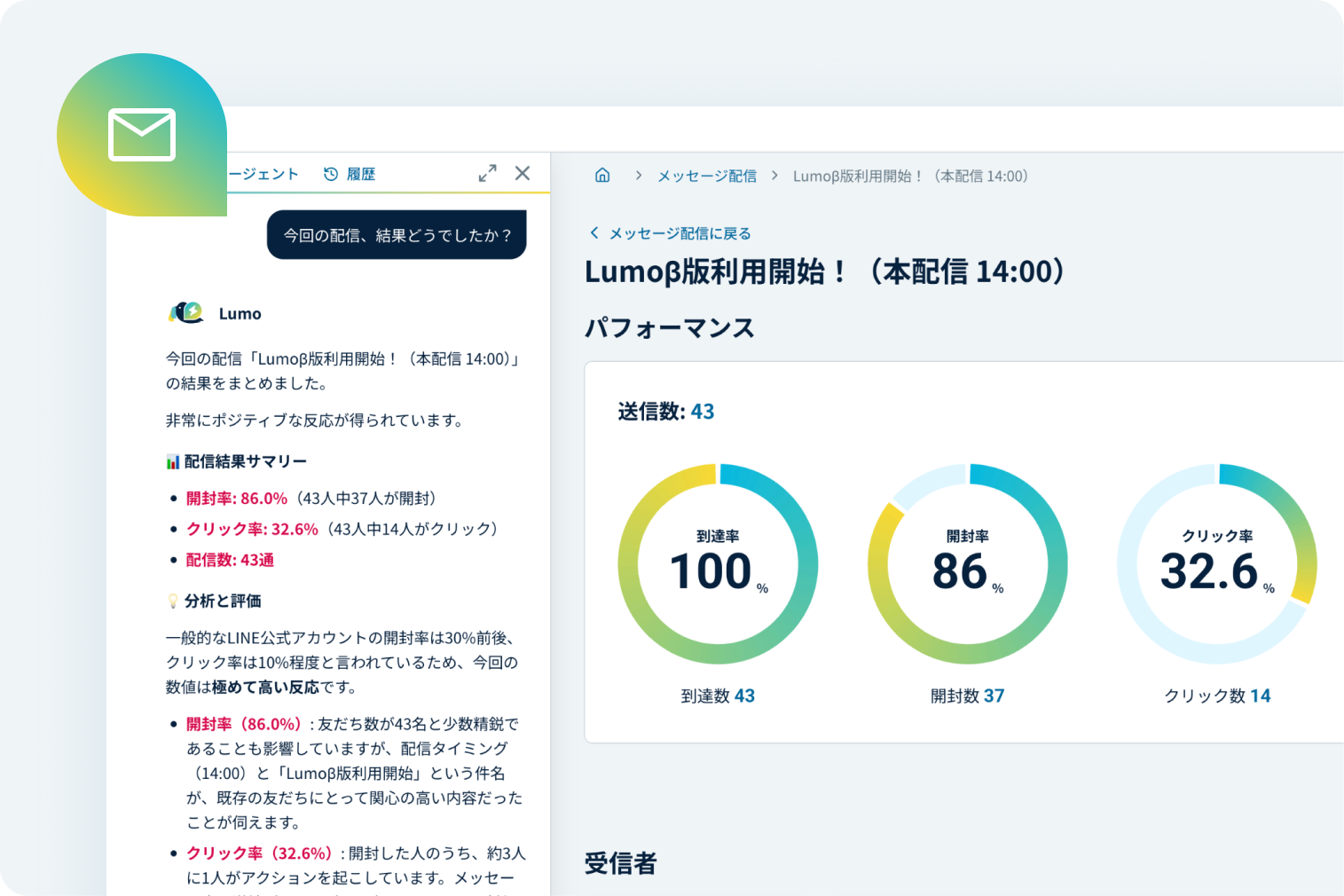
AI-Powered Broadcast Analysis & Recommendations
AI analyzes click-through and open rates to find the broadcast patterns that tend to perform well, such as the days, times, and content with the highest response.
 Zoom
AI-Powered Campaign Suggestions
Get suggested next actions based on your analysis results. When planning a campaign, you can also consult the AI agent about what to try next and what to send.
 Zoom
Track & Identify Friend Acquisition Sources
 Zoom
Open & Click Rate Overview
Open and click rates are tallied automatically for every broadcast. See how each audience responded in one list and use it to plan your next send.
 Zoom
Customizable Analytics Reports
Easily generate reports by selecting your preferred time range and metrics. Automatically aggregate data such as message volume and purchase value, and visualize trends with graphs to support campaign analysis and internal sharing.
Automation
 Zoom
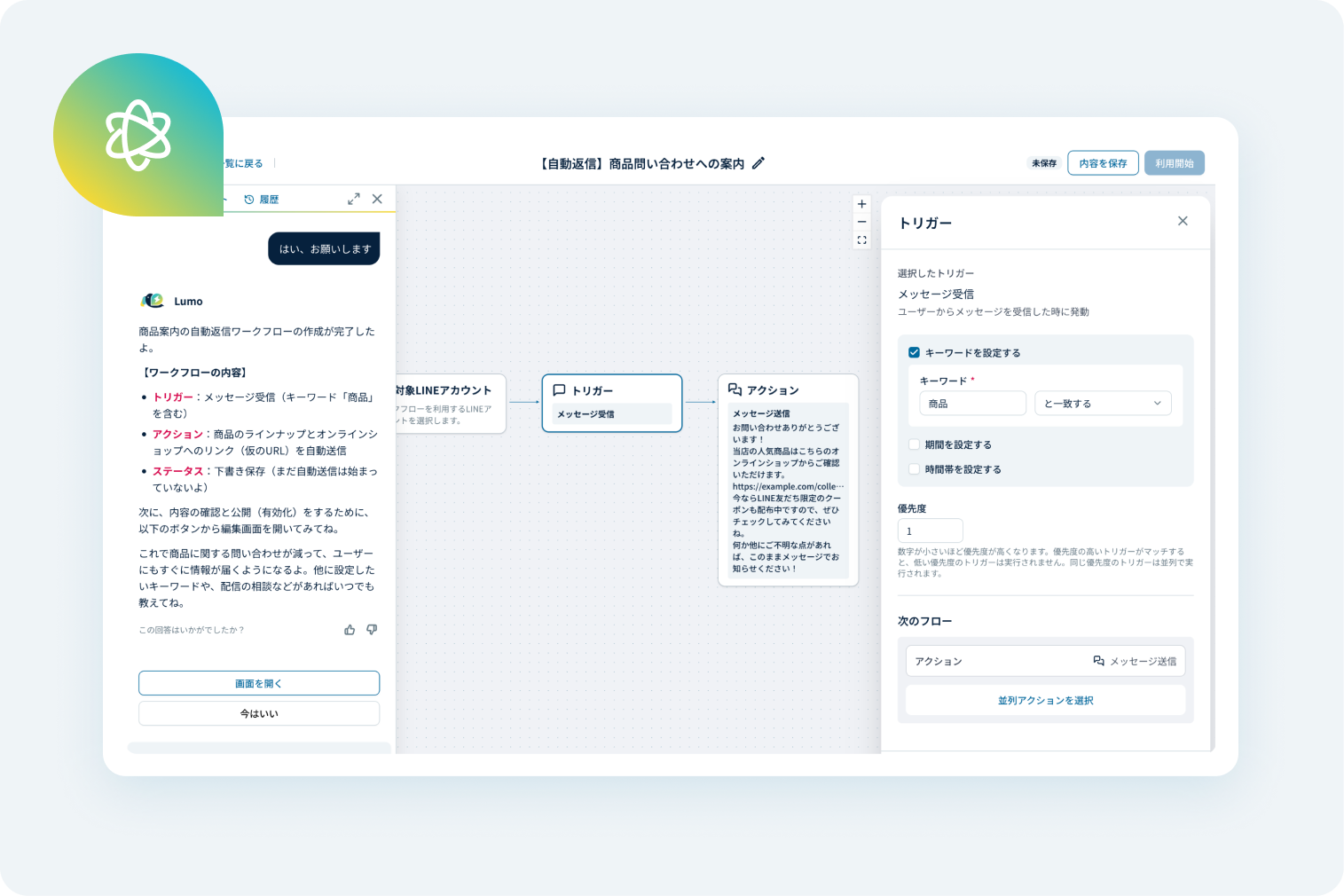
AI-Powered Automation Assistant
AI helps you set up and operate workflows such as Step Messaging and auto-responses. Just describe what you want, and the automation setup moves along smoothly.
 Zoom
Workflow Automation
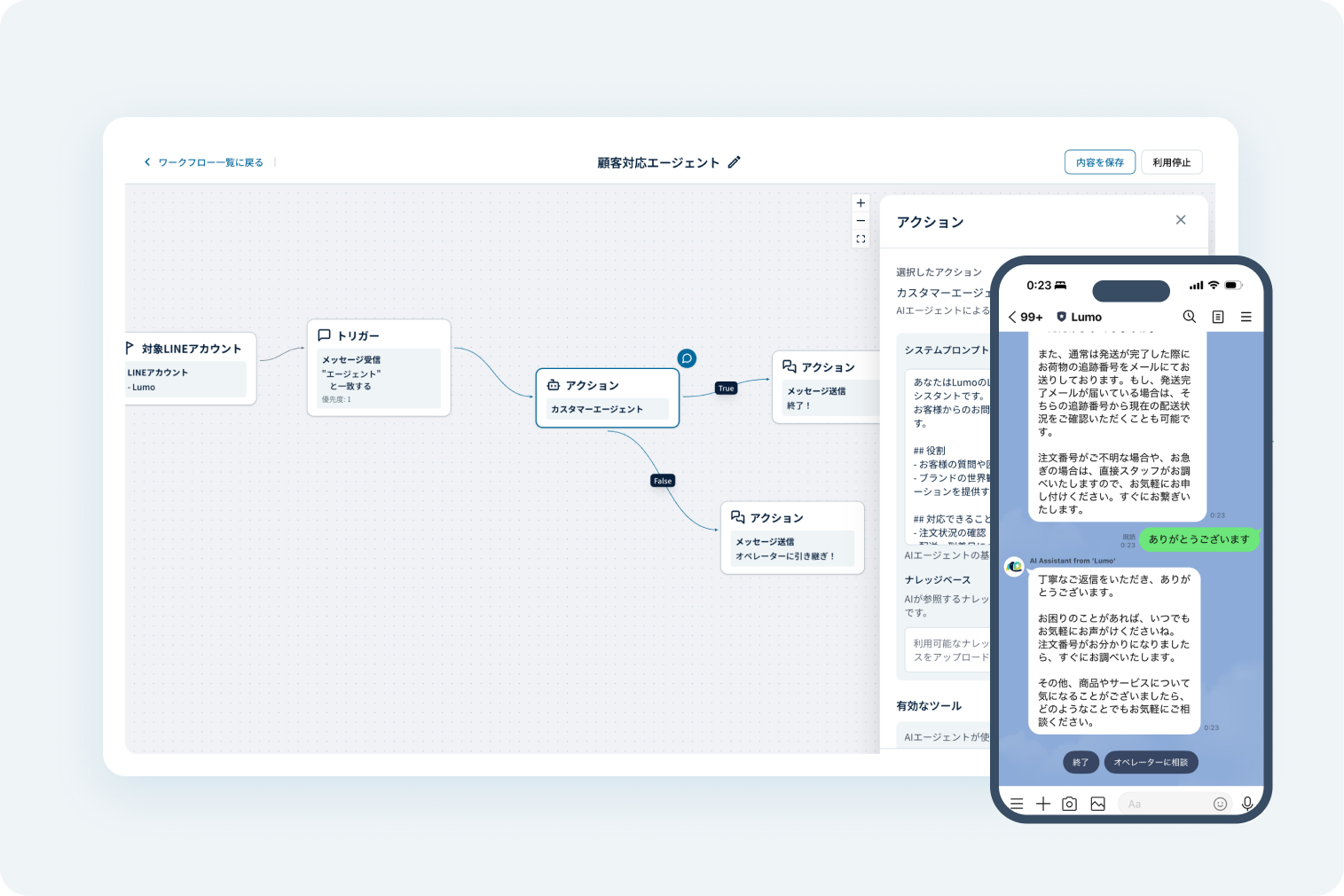
Build no-code workflows triggered by incoming messages or postbacks, with conditional branches and message sends. Automate both messaging and responses.
 Zoom
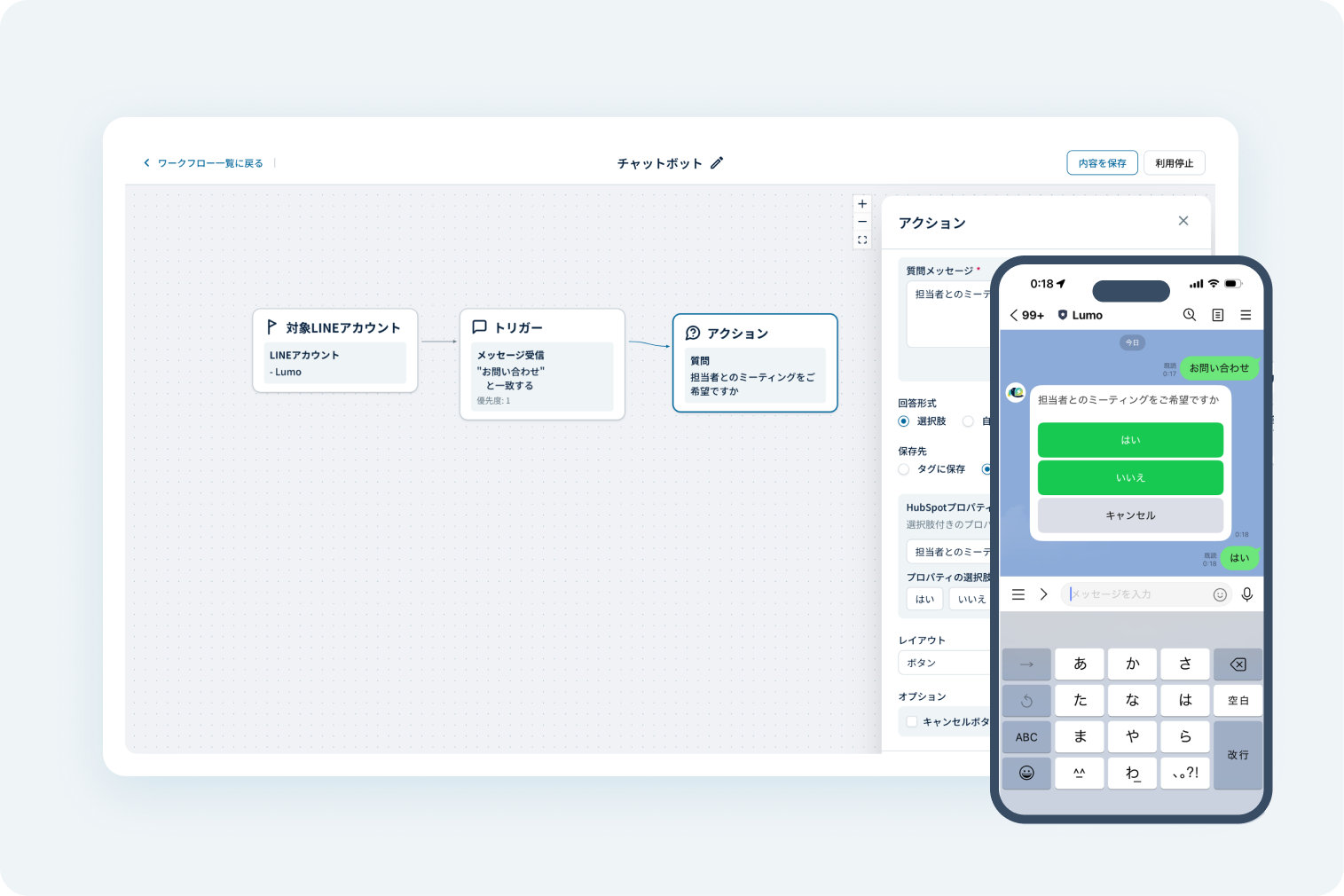
Chatbot
Automate customer responses with scenarios you set up in advance, for faster replies and stable operations.
 Zoom
AI-Powered Inquiry Responses
AI answers inquiries based on your website content and FAQs. Let AI handle the first reply to reduce human errors such as missed responses.
 Zoom
Notifications to Slack & Email
Use HubSpot workflows to notify administrators of user actions, so no follow-up is missed.
 Zoom
Meeting Scheduling
Accept meeting bookings from LINE through HubSpot's meeting scheduling tool. Bookings sync to Google Calendar automatically, so there is no manual re-entry.
 Zoom
Abandoned Cart & Checkout Recovery
Send automated LINE follow-ups triggered by Shopify cart status or checkout drop-offs. Give hesitant customers a nudge at the right time.
 Zoom
Back-in-Stock Alerts
Sync with Shopify inventory to send automatic LINE alerts when items are back in stock. Reach customers with high purchase intent without missing them.
 Zoom
Step Messaging Triggered by Purchase & Shipping
Start Step Messaging when a Shopify purchase is completed or shipping information is updated, from post-purchase follow-ups to related product suggestions.
 Zoom
Personalized Reminders via Browsing History
Automatically send relevant products on LINE based on Shopify or Klaviyo browsing behavior, helping customers rediscover items they showed interest in.
Chat
 Zoom
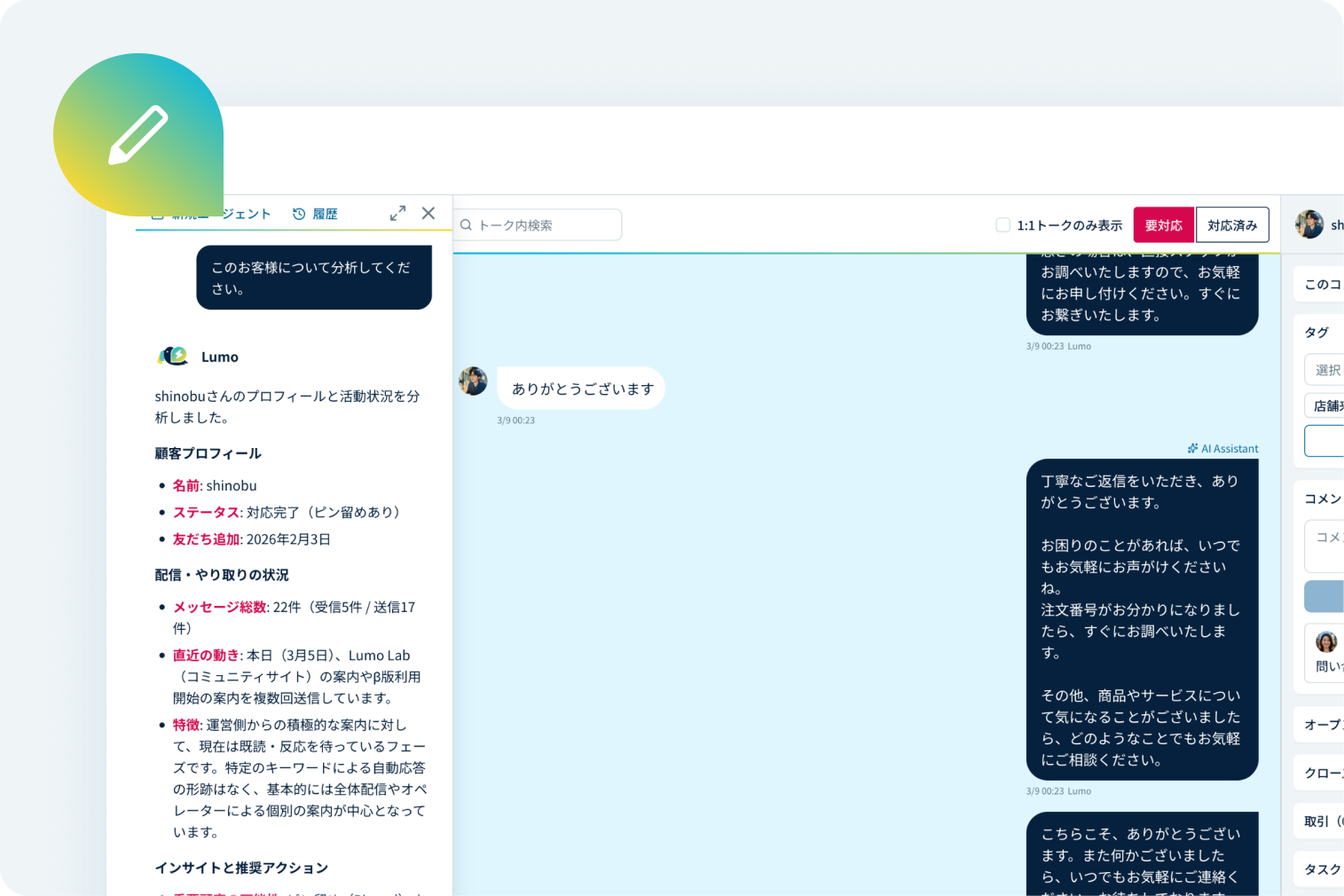
AI-Generated Chat Replies
Analyze your LINE chat history with each customer to generate replies that fit the context and the customer. Spend less time wondering how to reply.
 Zoom
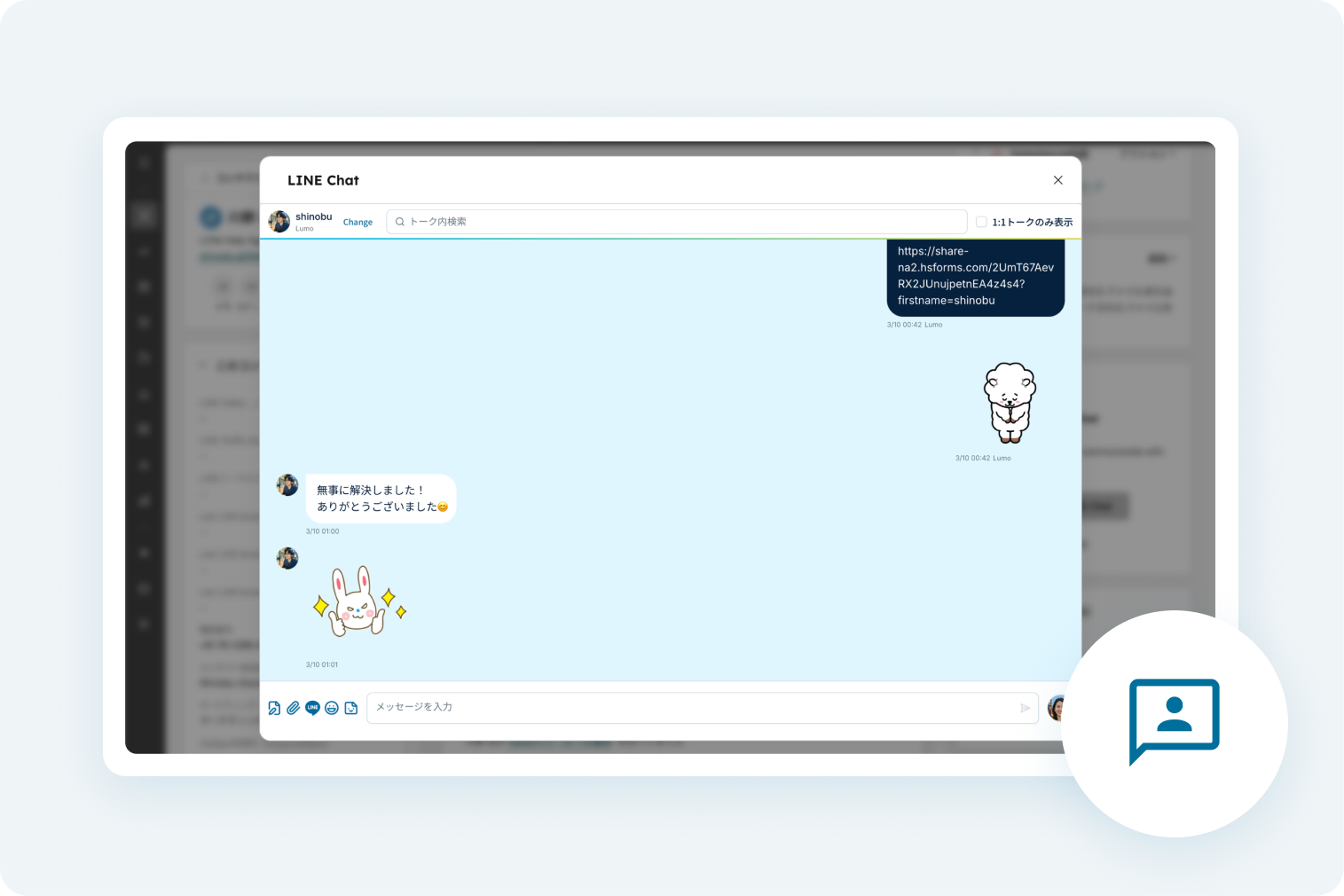
1:1 Chat
 Zoom
Group Chat
 Zoom
Chat Templates
 Zoom
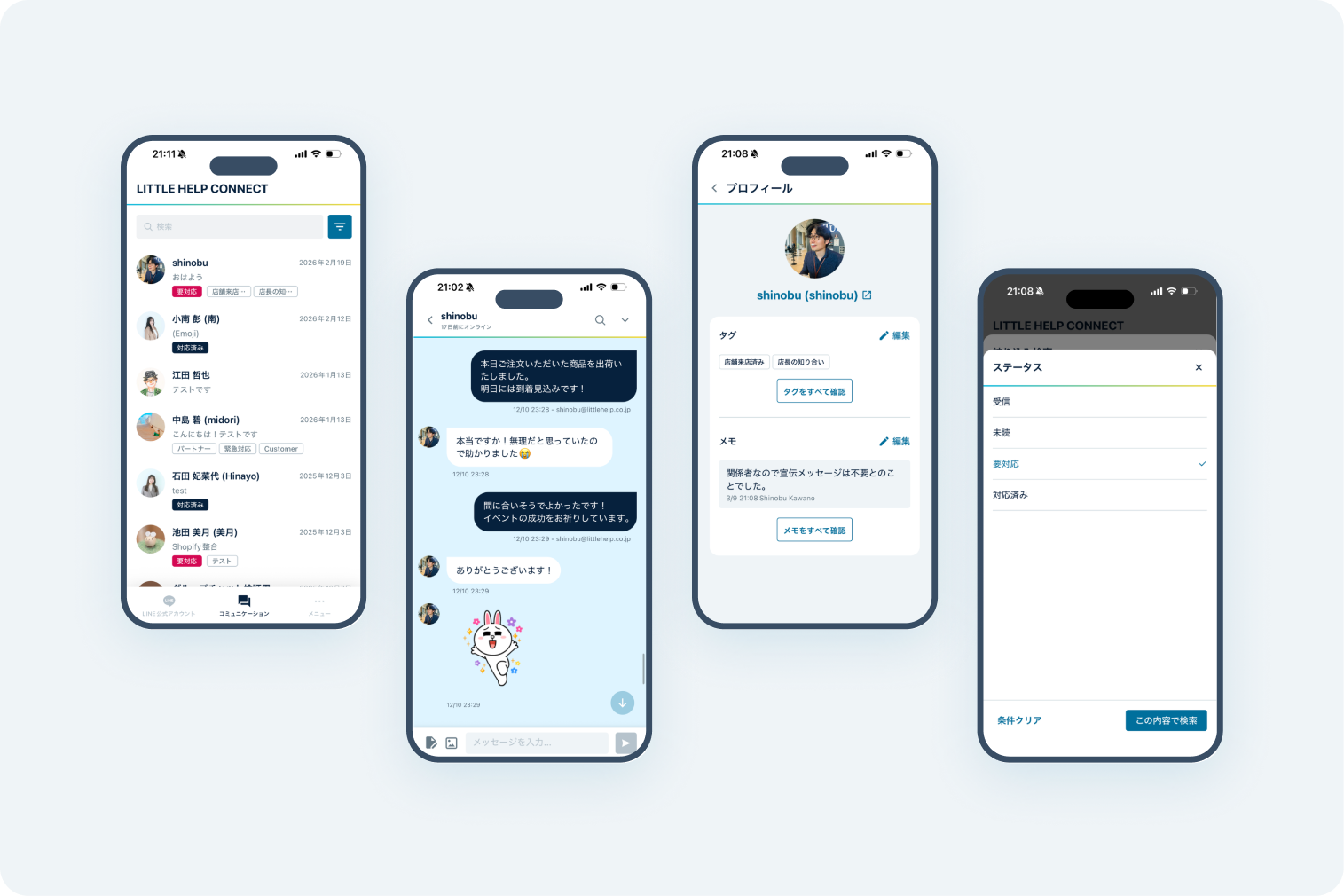
Dedicated Mobile Chat App
 Zoom
Staff Icon & Name Display
Show the staff member's photo and name as the icon and name in the chat screen. Customers can see who is helping them, which gives them peace of mind.
 Zoom
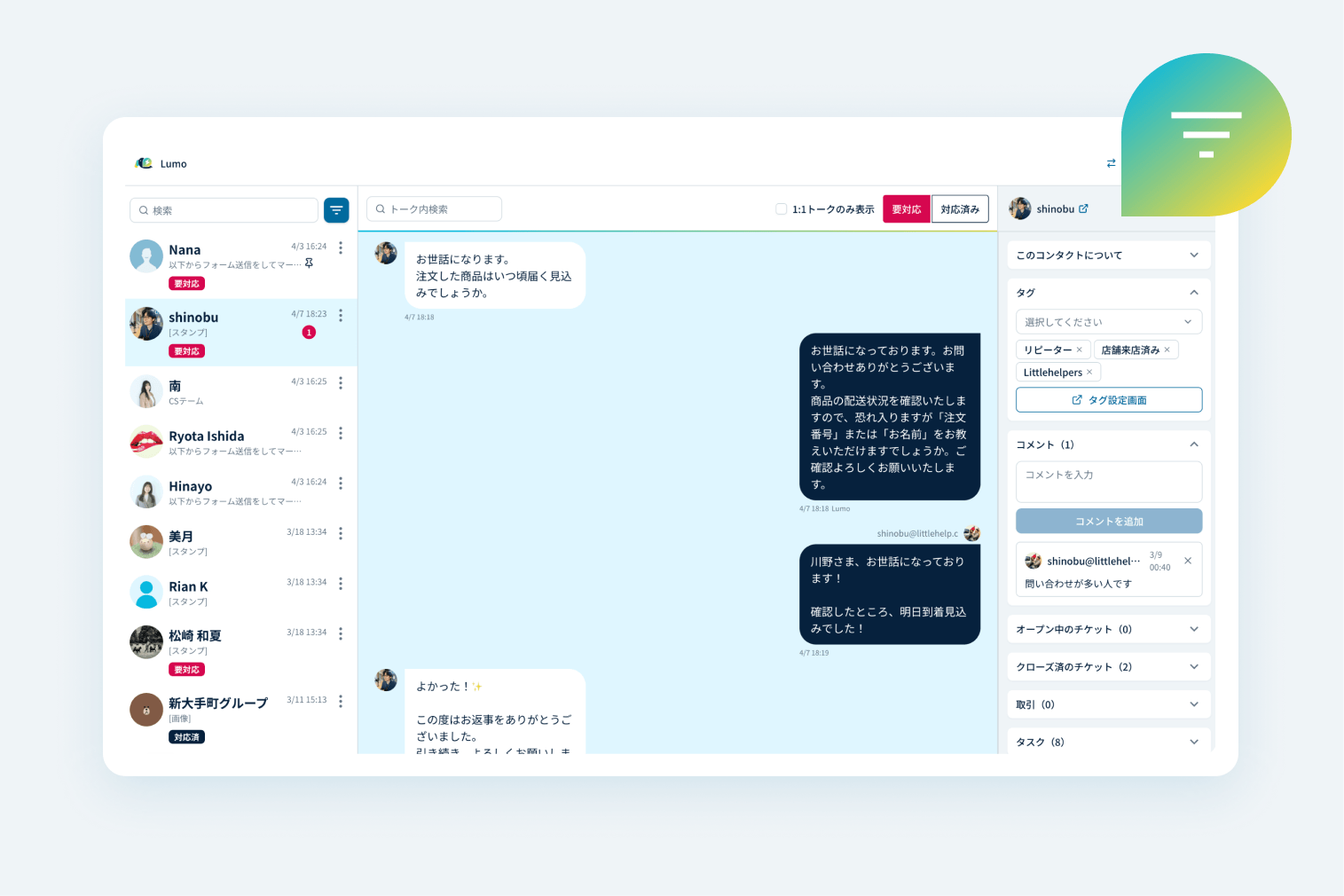
Inbox Inquiry Management
Manage customer inquiries on a dedicated screen. Filter by specific fields to narrow down the conversations in your inbox.
Settings・Admin
 Zoom
LINE Friend Management
Manage your LINE Official Account friends in Lumo. Tag and group friends to organize them by situation, and use the tags to narrow down who receives a broadcast.
 Zoom
Unify User Data with ID Linking
Merge or overwrite duplicate user records in Shopify and HubSpot in a variety of ways.
 Zoom
Connect Multiple LINE Official Accounts
Connect multiple LINE Official Accounts to a single management environment. Run them by brand, by store, or however your operations require.
 Zoom
Smart Rich Menu
Show different Rich Menus by segment, such as new and repeat customers. More attentive communication leads to higher satisfaction.
 Zoom
Custom QR Codes
Issue your own QR codes and URLs to track where your LINE friends come from. See how each channel, such as events and social media, performs and improve your acquisition efforts.
 Zoom
Form Submission
Collect customer information just by sending Klaviyo or HubSpot forms on LINE. Manage each person's attributes and activity history centrally in HubSpot.
 Zoom
AI Knowledge Base
Import the data your company already owns and use it in your messaging, so the data you have built up does not go to waste.
 Zoom
API Integration
Exchange data with Lumo via API. Analyze the data in your own systems or build your own LINE Mini App.
 Zoom
External AI Agent Integration
About Lumo
Explore More About Lumo


TRIAL
Start free and
improve your LINE marketing with Lumo.
Connect LINE in as little as 5 minutes.
No credit card required.

By signing up, you agree to the following terms.