













.png)





Start free. Upgrade when you grow.

For
HubSpot Users
Marketing
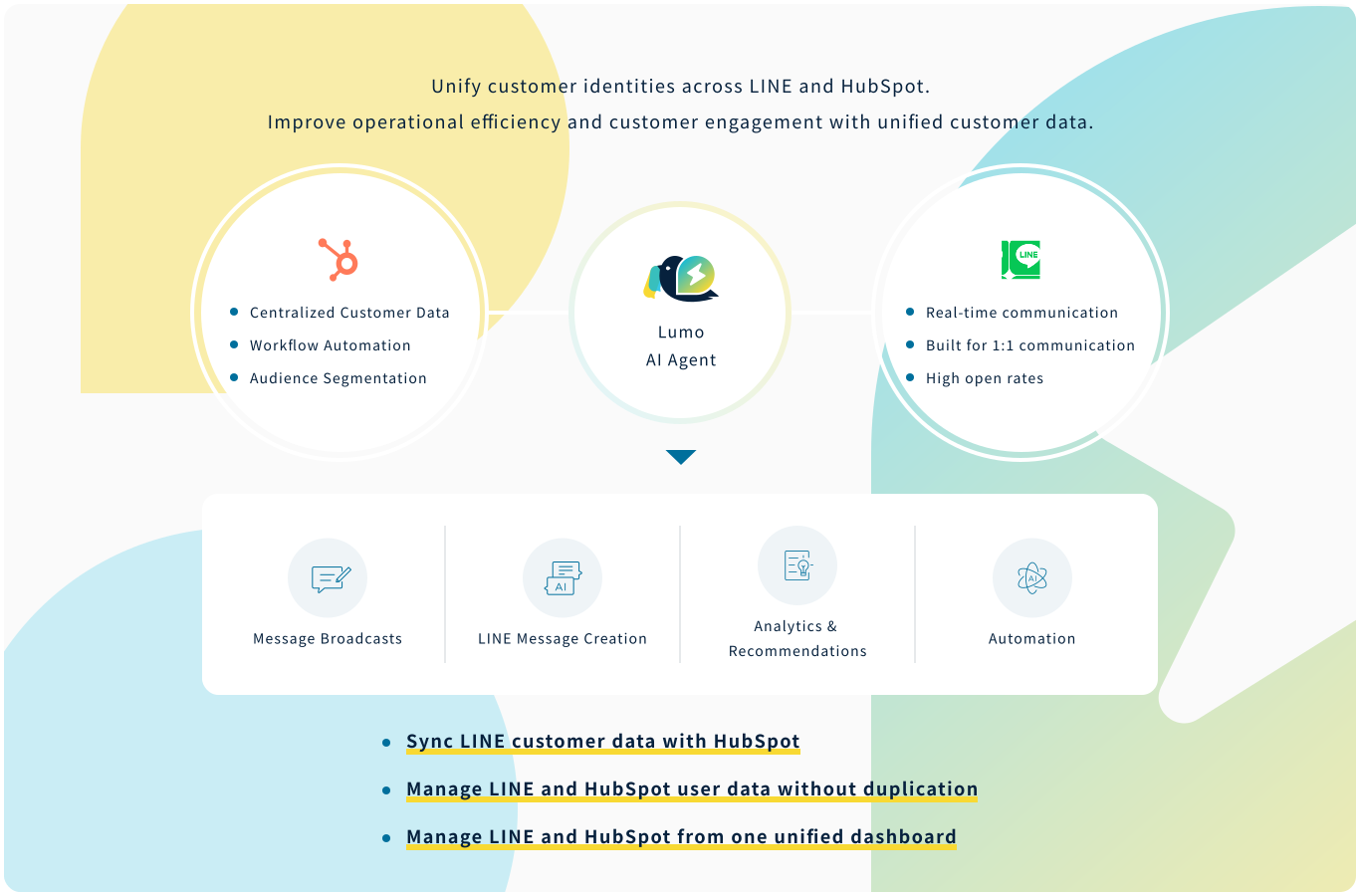
Use HubSpot segments and scenarios to
deliver personalized engagement for every customer.
 拡大する
拡大する
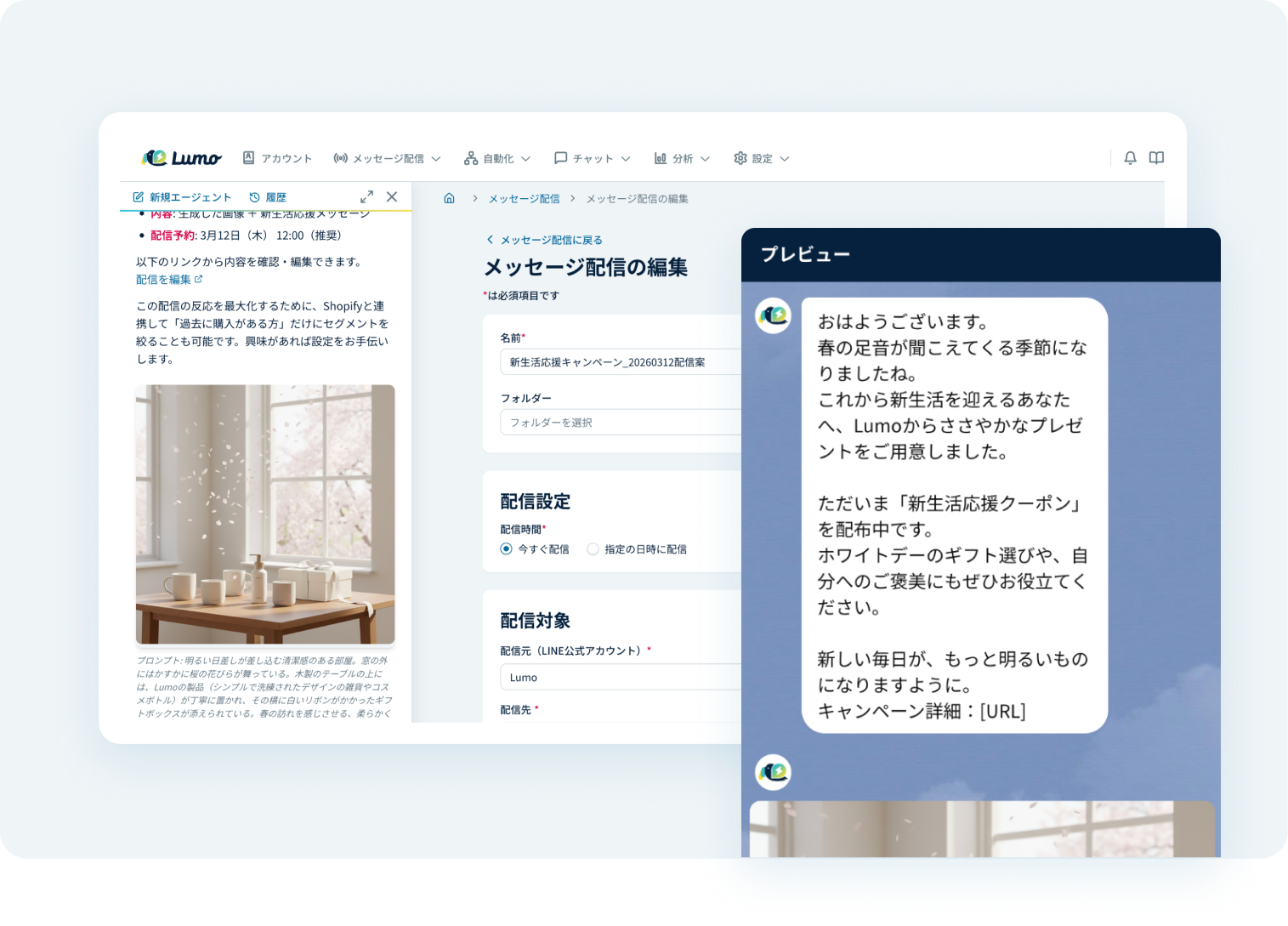
AI-Powered Message Generation
The AI Agent makes this possible by generating the most suitable messages for each customer based on past campaign data. It also automates everything from suggesting the optimal delivery timing to preparing the distribution, significantly reducing the workload of messaging operations.
 拡大する
拡大する
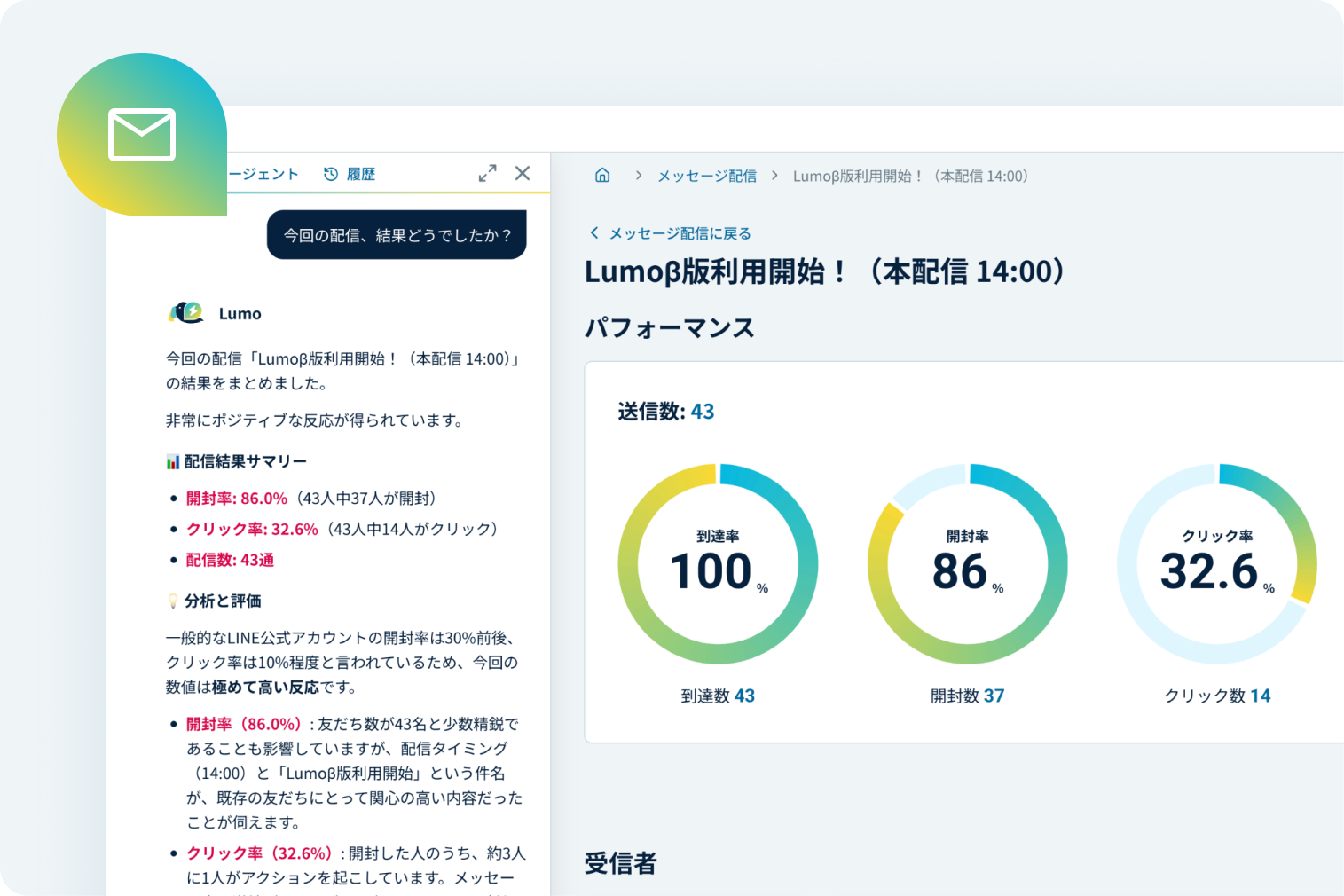
AI-Powered Campaign Analysis & Performance Insights
AI analyzes click-through and open rates to uncover high-performing patterns—including optimal send times, days, and content—to help you maximize campaign results.
 拡大する
拡大する
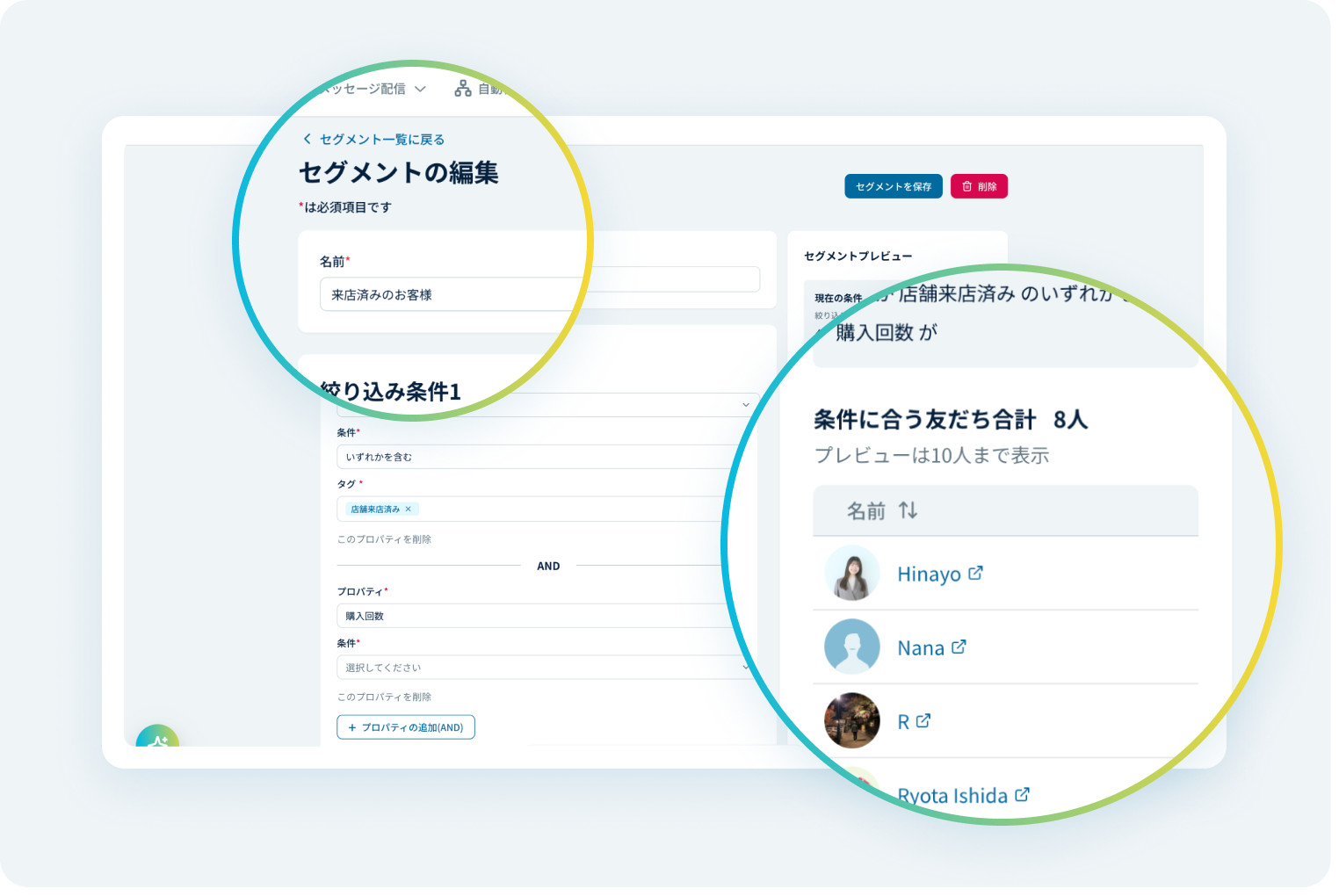
Segmented Messaging with Customer Data
Leverage customer behavioral data, LINE interaction history, and tag management within Lumo to refine your target audience. Deliver messages tailored to each customer’s interests and context.
 拡大する
拡大する
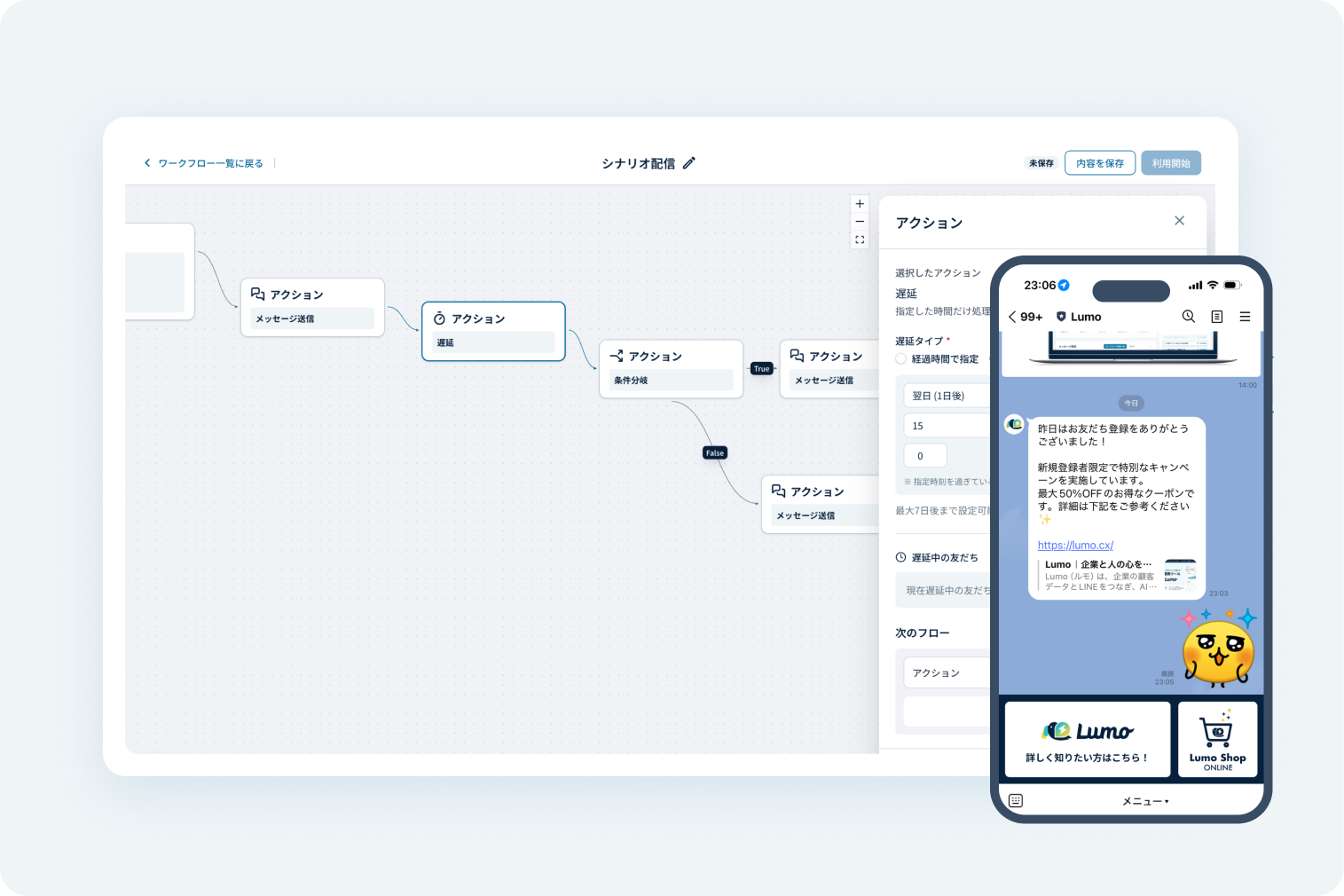
Step delivery of messages
Automatically deliver messages based on user attributes and activity, such as browsing history. Streamline operations while enhancing the customer experience.
 拡大する
拡大する
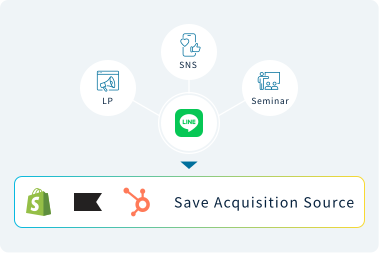
Track & Identify Friend Acquisition Sources
Save acquisition sources from landing pages, social media, seminars, and more to Klaviyo, Shopify, or HubSpot for clearer campaign performance tracking.
 拡大する
拡大する
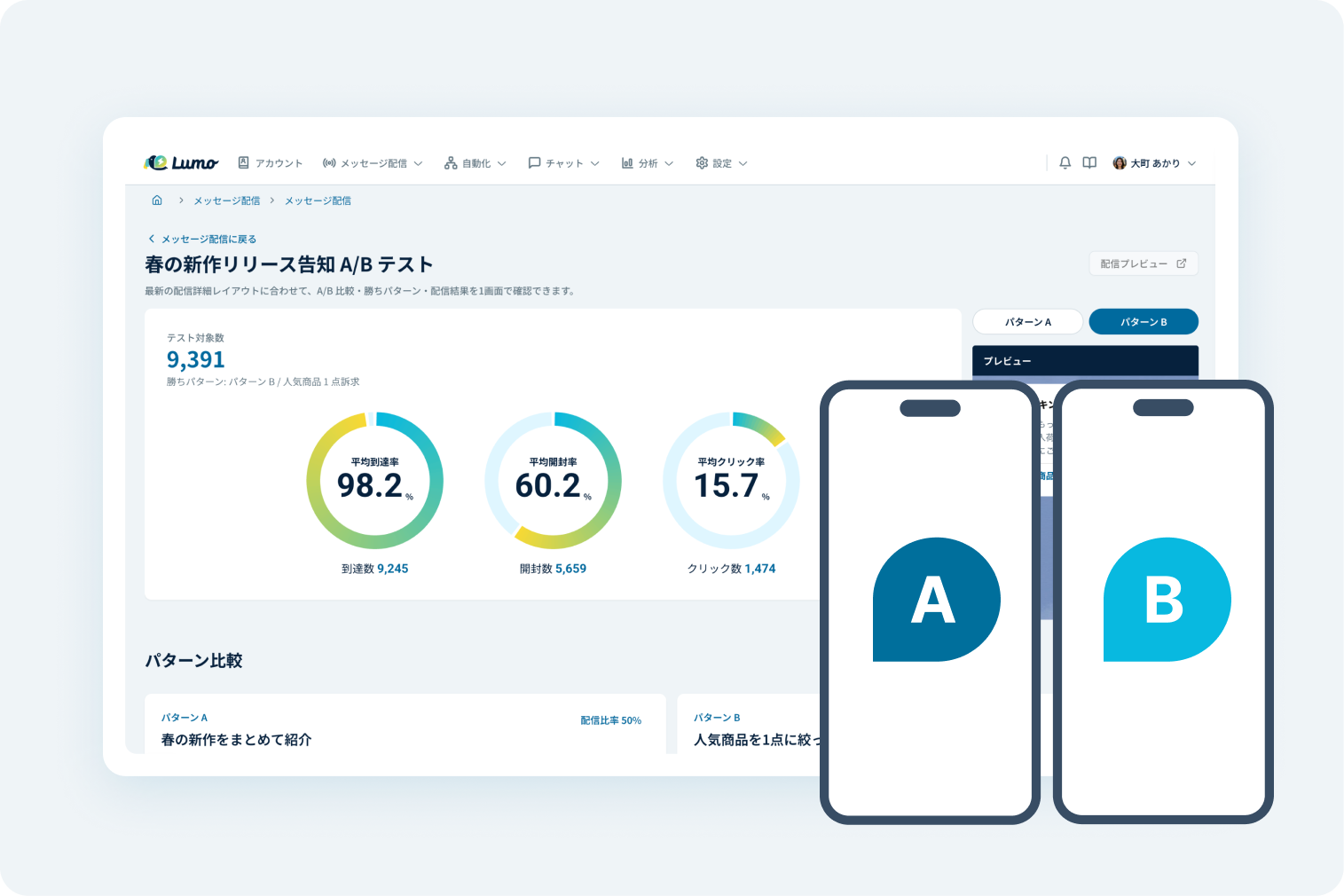
A/B Testing for Messaging
Verify effectiveness by testing multiple message patterns. Identify exactly what your customers want and transform these insights into internal marketing knowledge.
Sales
Automate lead collection and first responses.
Reduce manual work and respond faster to new leads.
 拡大する
拡大する
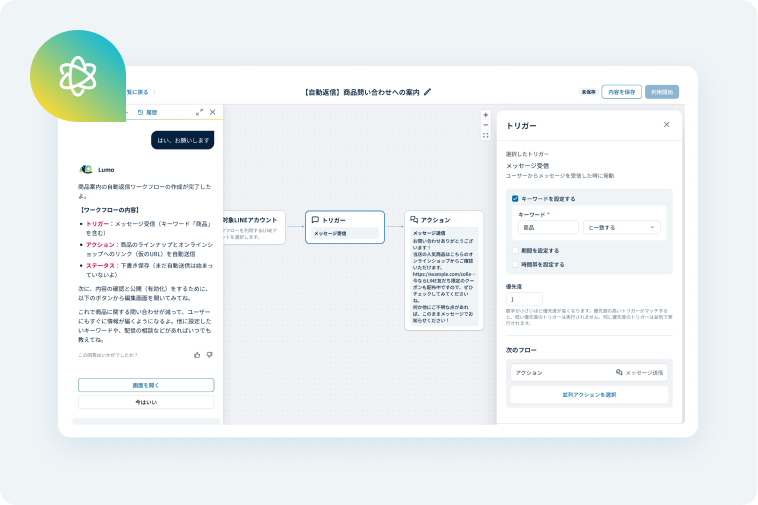
AI-Powered Automation Assistant
AI guides you through workflow designs and operations for step messaging and auto-responses. Simply express your needs, and let AI streamline the setup process.
 拡大する
拡大する
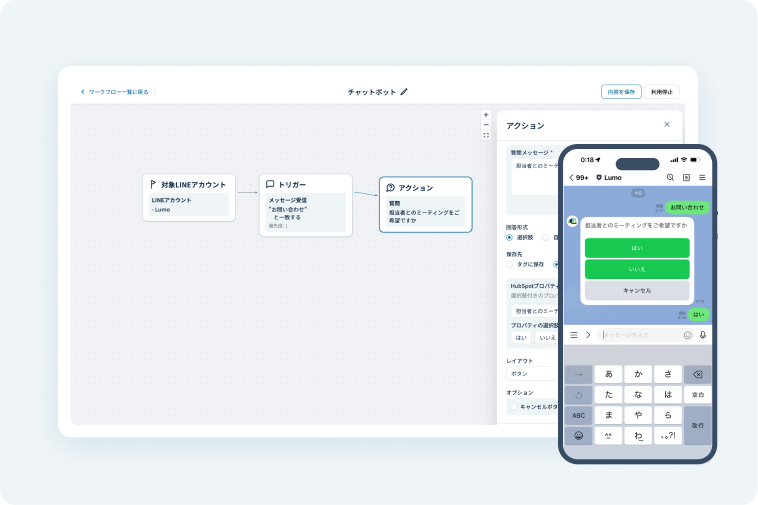
Chatbot
Automate customer interactions with pre-set scenarios. Ensure rapid response times and consistent, stable operations for your brand.
 拡大する
拡大する
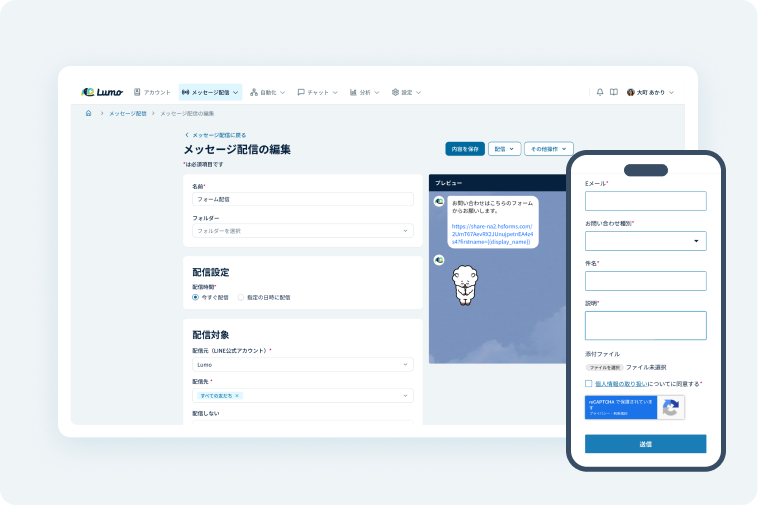
Form Submission
Collect customer information by sending Klaviyo or HubSpot forms through LINE, then manage attributes and behavior data centrally.
 拡大する
拡大する
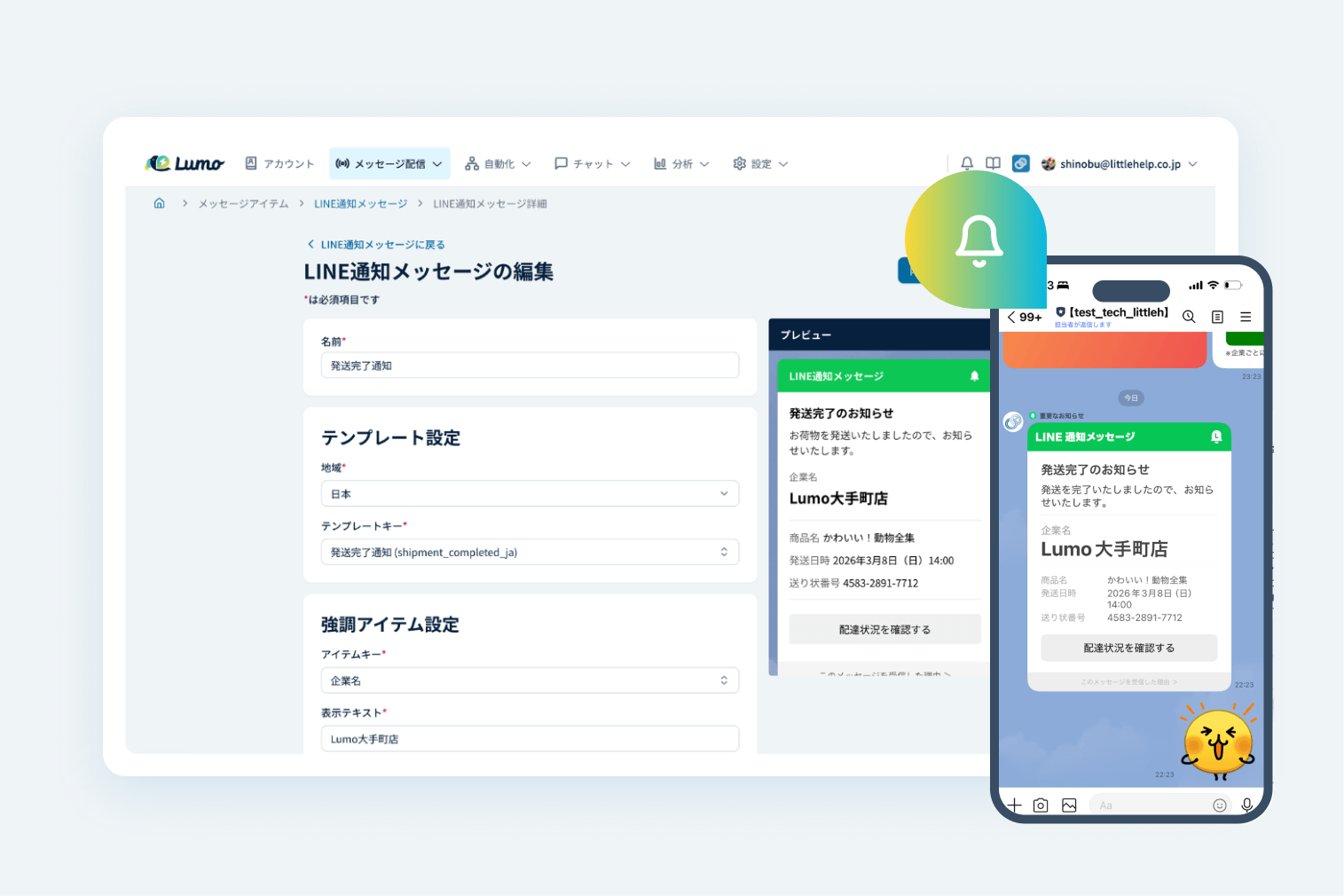
LINE Notification Messages (Coming)
Reach customers directly using their phone numbers, even without an email address. Maintain a seamless connection and touchpoints with your audience on LINE.
 拡大する
拡大する
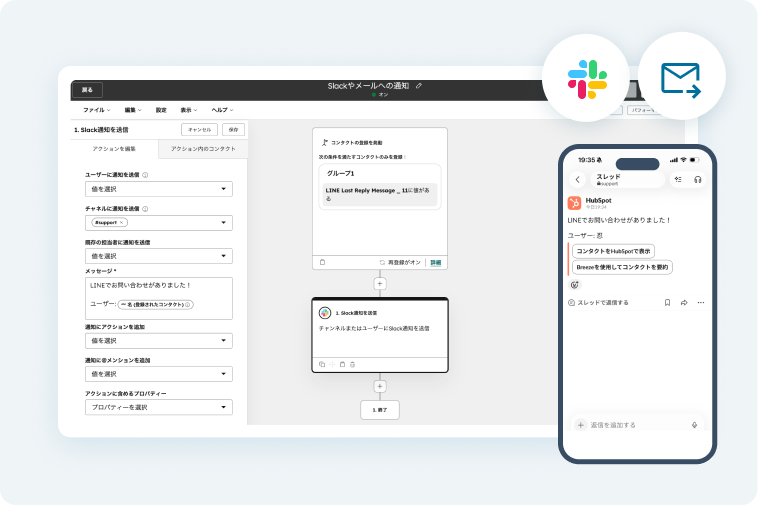
Real-time Notifications via Slack & Email
Use HubSpot workflows to notify administrators of user actions, ensuring timely follow-ups and preventing missed responses.
 拡大する
拡大する
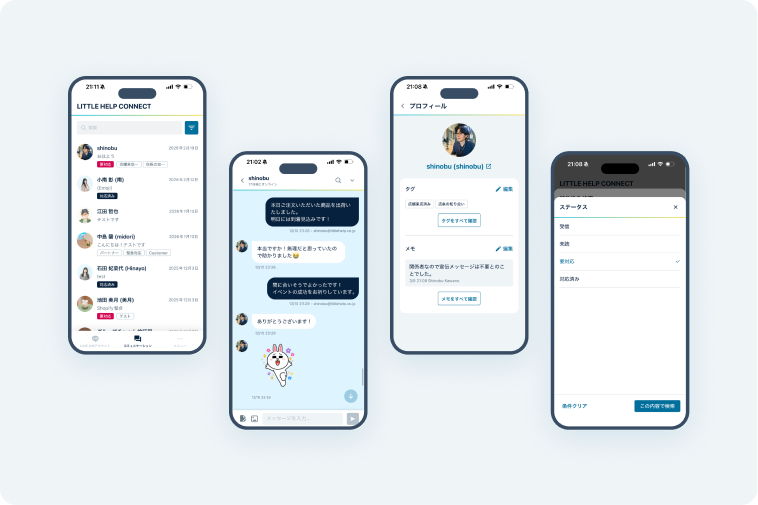
Dedicated Mobile Chat App
Respond to customers instantly on the go. Access user profiles and manage statuses with "Needs Attention" tags directly from your phone.
Customer Support
Manage chats and customer history in one unified workspace.
Deliver faster, more personalized support.
 拡大する
拡大する
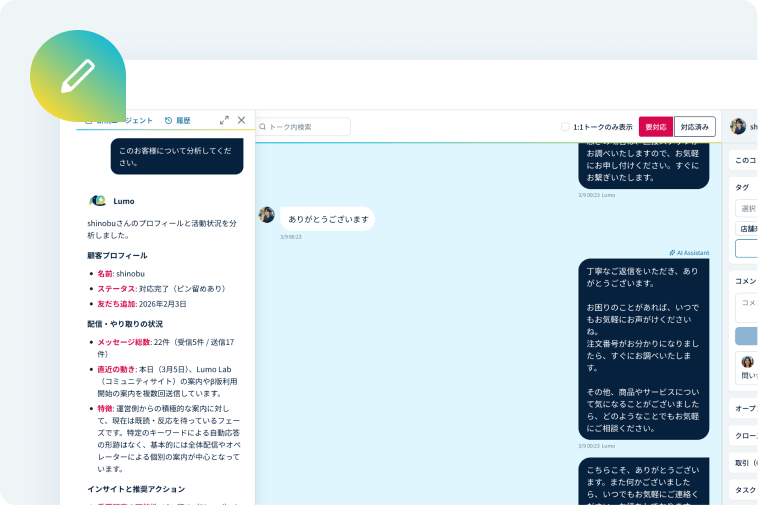
AI-Powered Chat Composition
Analyze LINE chat history to generate context-aware replies tailored to each customer. Spend less time drafting and more time building relationships.
 拡大する
拡大する
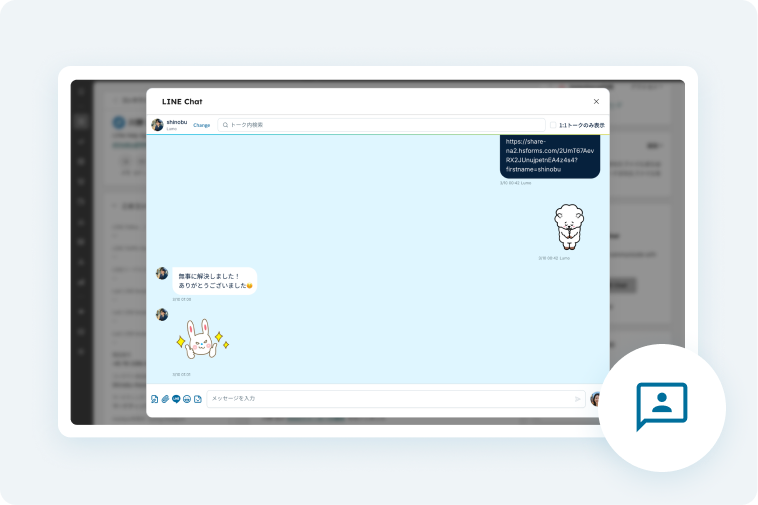
1:1 Chat
Chat 1:1 with LINE friends and sync conversation history to Klaviyo or HubSpot, so customer interactions stay visible in one place.
 拡大する
拡大する
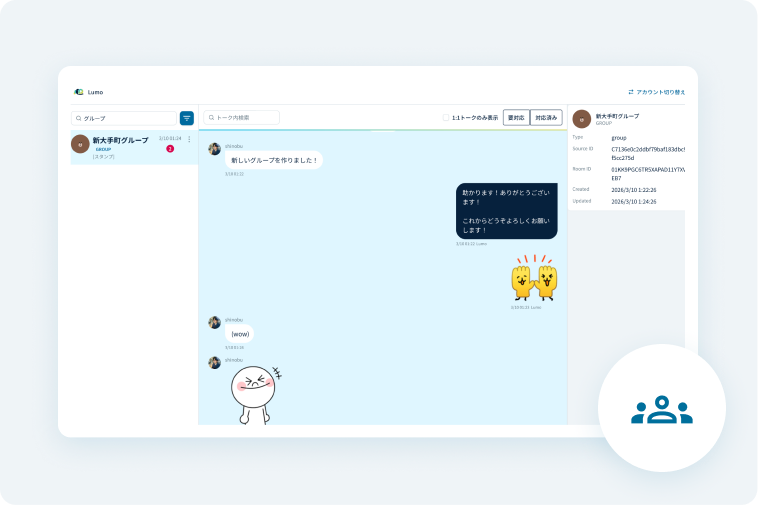
Group Chat
Manage group chats and track conversation history directly within the Lumo platform. Streamline your support and record-keeping in one place.
 拡大する
拡大する
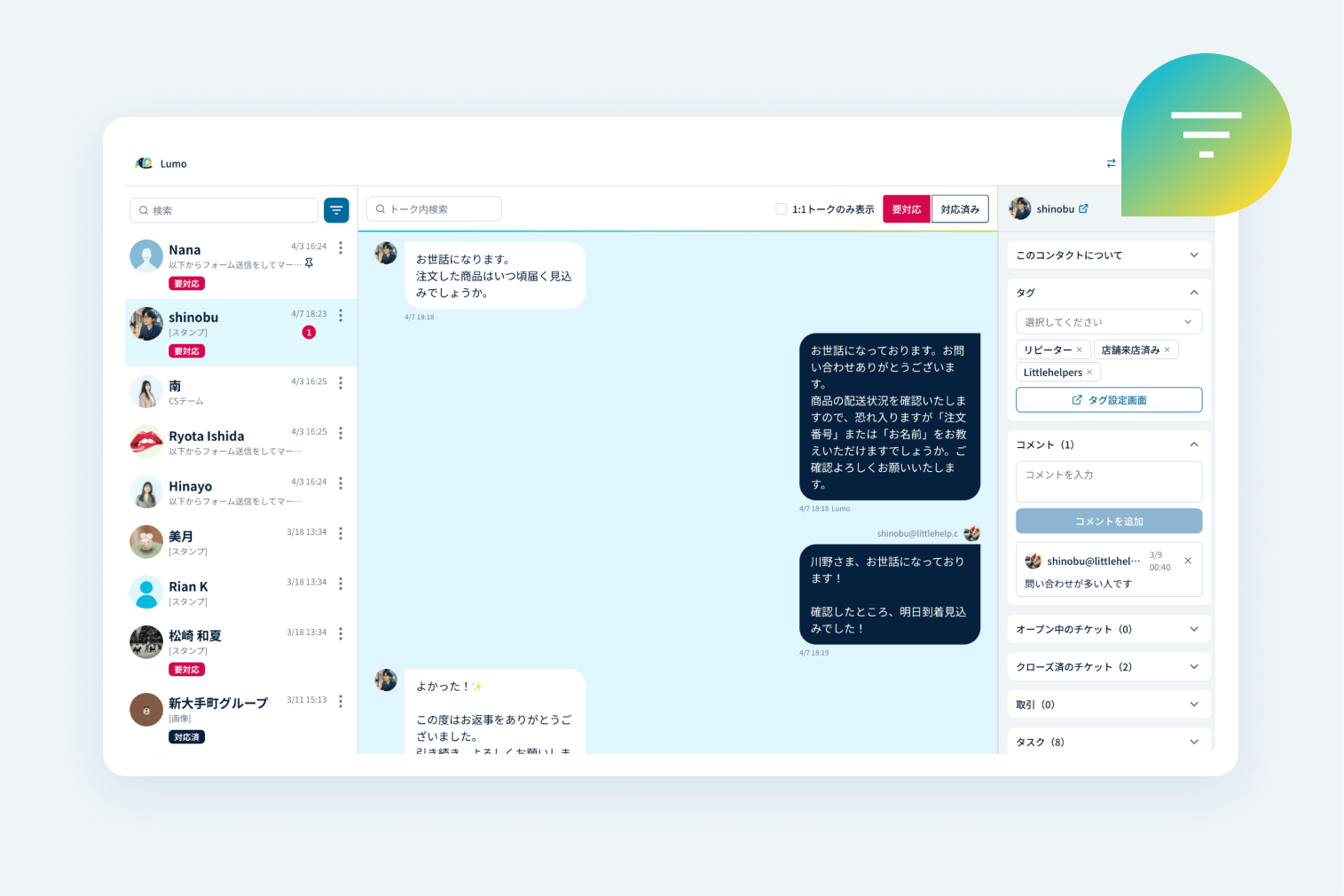
Inbox Inquiry Management
Manage all customer inquiries in a dedicated dashboard. Use advanced filtering to quickly find and prioritize specific conversations.
 拡大する
拡大する
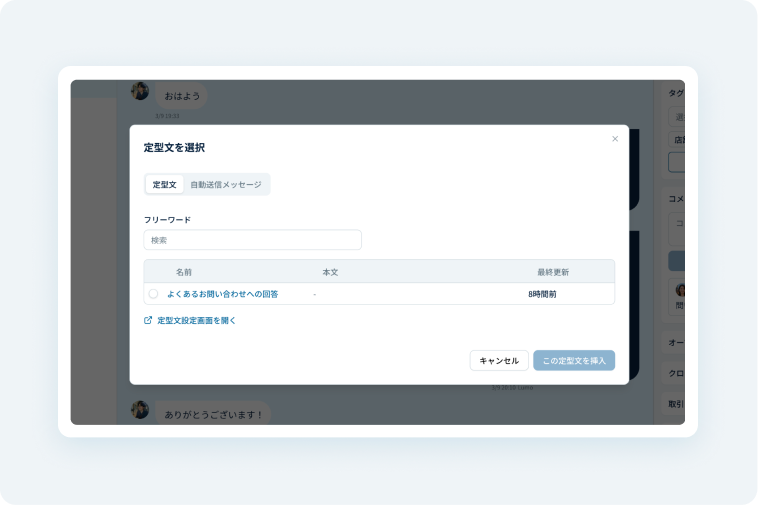
Unlimited Chat Templates
Register pre-set templates for quick and easy 1:1 responses. There is no limit to the number of templates you can create.
 拡大する
拡大する
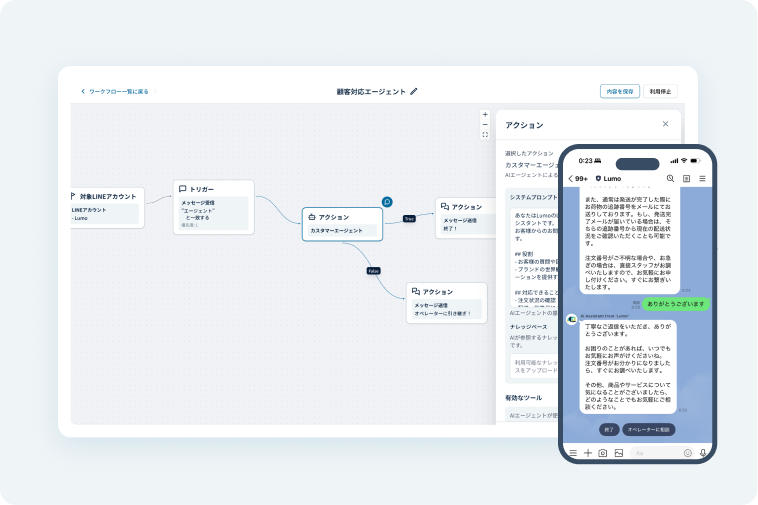
AI Automated Response
AI handles inquiries using website data and FAQs. Delegate initial responses to AI to eliminate human error and ensure no leads are missed.
CONTACT
Get support tailored to your business needs.
We offer expert consultations on pricing, ID integration, and data migration.
Personalized product demos are also available upon request.
Onboarding・Operations
Onboarding and support backed by former
HubSpot team members.
Get 2 months of hands-on onboarding support, including setup guidance, operational support, and regular check-ins.
We provide thorough answers to operational questions and inquiries through regular meetings and email. An online user manual is also available. Customers on paid plans can contact technical support via email or the in-app chat in the admin panel even after the onboarding support is completed.
1st Session
Discovery
- Tool Audit & Usage Review
- LINE Messaging Strategy & Goals
- Pain Points & Concerns Addressing
2nd – 4th Sessions
System Design・Setup
- Initial System Configuration
- Building LINE message broadcasts
- Automation Workflow Design
5th – 6th Sessions
Pre-launch Finalization
- Q&A Sessions
- Post-launch Feature Recommendations
A proven platform recognized for its technical excellence and reliability.
Lumo is developed by an engineering team with deep expertise in HubSpot, leveraging years of operational insights gained from its predecessor, LITTLE HELP CONNECT. As a certified HubSpot App Partner and LINE Technology Partner, Lumo meets enterprise-level security standards, providing a secure and robust environment for your business.

LINE Official Technology Partner

HubSpot Certified App Partner
-
Security 01

Our software is securely operated and hosted on the Google Cloud Platform (GCP).
-
Security 02

All communications are fully encrypted a protected via SSL technology.
-
Security 03
.svg)
Your data is subject to continuous and automated backups to ensure safety.
-
Security 04

We have received third-party certification for our standards in handling personal information.
-
Security 05

Data is managed strictly on a per-contract basis and is never utilized for retraining external AI models.
-
Security 06

AI processing is executed securely within the infrastructure of Google Cloud Vertex AI.
.png)
Access Our Security Documentation
We ensure that AI agents and customer data are managed securely and in compliance with industry standards. For more details, please refer to our documentation.
FAQ
Common
Questions

When you start using Lumo, a friend record is created in Lumo when a user adds your LINE Official Account as a friend or sends a reply to it. The Lumo ID is then automatically recorded in a specified property of the HubSpot contact, linking the data between Lumo and HubSpot.
Lumo Chatflows are designed for scenarios requiring real-time responses, such as chatbots. In contrast, HubSpot Workflows are intended for long-interval scenarios, such as scheduled messaging for the following day.
Yes, you can map and link IDs by matching customer data such as email addresses or phone numbers. We support various methods, including capturing info via HubSpot forms after adding friends, or linking phone numbers via SMS links during the "add friend" process.
Due to LINE Official Account specifications, you cannot use multiple extension tools simultaneously. To use Lumo, you will need to switch from your current tool.
No. Lumo will never execute any process without user authorization. The system is designed so that all content and strategies are reviewed and approved by the user before being sent.
AI references recent interactions within each individual conversation (chat room) to generate responses and suggestions. Since conversation history is confined to each specific chat room, there is no mixing of information across different conversations.
For customer-facing AI (Customer Agent), responses are also generated based on pre-registered knowledge such as FAQs and product information, ensuring accurate and context-aware interactions.
About Lumo
Explore More about Lumo

TRIAL
Start your free trial and
improve your LINE marketing with Lumo.
Connect LINE in as little as 5 minutes・
No credit card required.

By signing up, you agree to the following terms.